Let’s do it again! Win a Free Copy of Packt’s Learning QlikView Data Visualization.

Packt Publishing is going to be giving away 2 free copies of Learning QlikView Data Visualization this week.

Overview of Learning QlikView Data Visualization

  • Explore the basics of data discovery with QlikView
  • Perform rank, trend, multivariate, distribution, correlation, geographical, and what-if analysis
  • Deploy data visualization best practices for bar, line, scatterplot, heat map, tables, histogram, box plot, and geographical charts

How to Participate
During the
last giveaway, I asked for ideas on what data visualizations you would like to add to QlikView.  Now, I can’t imagine the development team at QlikTech being able to focus on creating and improving every chart and graph in QlikView, so let’s help them focus on the best data visualization techniques, and therefore leave behind some of the charts and graphs in QlikView that don’t do a good job of helping us discover data.

In order to participate in the drawing to win a free copy of Learning QlikView Data Visualization, please add your comment below about what types of charts, graphs or options QlikView would be better without.

For example, I don’t want to be reminded of my alarm clock anymore.  My monitor has a really good resolution and a text object is great at taking advantage of it, so why do I need following object?
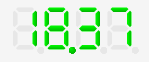
AlarmClock

Please spend whatever minutes needed to maintain this object instead on creating a way to make a scatterplot matrix.

All opinions are welcome, but please be respectful of other people’s opinions

DeadLine
The contest will close on Saturday, February 8th. Winners will be contacted by e-mail, so be sure to use your real e-mail address when you comment.

Please note: Winners residing only in the USA and Europe would get a chance to win print copies. Others would be provided with eBook copies.

Good luck!


Posted

in

by

Tags:

Comments

24 responses to “Let’s do it again! Win a Free Copy of Packt’s Learning QlikView Data Visualization.”

  1. Clever Anjos Avatar

    A better straight/pivot table with more formatting options (merge cells, etc)
    A better mapping solution

    Like

    1. Karl Pover Avatar

      Hi Clever,
      I don’t think Qlik will even be like Excel, but hopefully it will at least make it eaiser to format cells instead of hiding so well the “Custom Format Cell” menu.

      Karl

      Like

  2. Bill Britt Avatar
    Bill Britt

    Mekko

    Like

    1. Karl Pover Avatar

      Hi Bill,

      If I remember correctly the Mekko chart was introduced in QlikView 10 which makes it 4 fours years old, and I have never used it. When it first came out I remember looking at this post from Stephen Few. http://www.perceptualedge.com/example13.php and never promoted its use.

      Karl

      Like

  3. Guido Longoni Avatar

    I appreciate all types of chart in QlikView and, personally, I see no reason to reduce their number. However, I understand the need to focus on the development of a particular type and, assuming you really want to send into retirement a chart type, I would choose the funnel chart, which does not really add much to other chart types, and it is perhaps even a little misleading because of the perspective effect.

    Like

    1. Karl Pover Avatar

      Hi Guido,

      Good choice. In my opinion the funnel chart to a diagram to display how, for example, a sales pipeline should work, and not a chart to be used to analyze data.

      Thanks, Karl

      Like

  4. Bruno Avatar

    Besides the “alarm clock” chart, the most useless for me would be the funnel chart. Why don’t use a single stacked bar instead?

    Best regards,
    Bruno

    Like

    1. Karl Pover Avatar

      Hi Bruno,

      Great. Two votes for the alarm clock and funnel chart.

      Thanks, Karl

      Like

  5. Pablo Avatar
    Pablo

    Something useless is the 3D and perpective view properties. They mainly cause data occlusion and distorted view.

    Like

    1. Karl Pover Avatar

      Pablo,

      I totally agree and I would like to think that more business users are learning the same. At least, not as many users ask for them as they used to in the past.

      Thanks, Karl

      Like

  6. Ashutosh Avatar
    Ashutosh

    I don’t see Time chart wizard, Quick chart wizards of much use, been years using Qlikview but never used them !

    As well, 3D Bar, Pie and Line charts don’t really help in abstract data visualization goals !

    Warm Regards,
    Ashutosh

    Like

    1. Karl Pover Avatar

      Ahutosh,

      Excellent point. I’ve tried to use these wizards when teaching new users, but I don’t think it’s necessary to have these wizards because it’s so easy to create a chart from scratch. Sadly, the box plot and statistics wizards are still necessary since it is not so easy to create these charts from scratch, but they should be made easier.

      Thanks, Karl

      Like

  7. Matus Avatar
    Matus

    My vote goes to Mekko.

    Like

    1. Karl Pover Avatar

      Matus,

      Another vote for Mekko. Thanks.

      Karl

      Like

  8. VG Avatar
    VG

    A waterfall chart and gantt chart option

    Like

    1. Karl Pover Avatar

      VG,

      Are you talking about taking away the bar offset option? Or, are to you wanting to add a gantt chart option to QlikView?

      Karl

      Like

  9. Juan Gouveia Avatar

    Hi all,

    I would send into retirement gauges chart, not only in QlikView but for all of the tools.
    http://www.dundas.com/blog-post/gauges-the-black-sheep-of-data-visualization/

    In addition, I would retire all aspects not compliant with Stephen Few’s Graphic Design IQ
    http://www.perceptualedge.com/files/GraphDesignIQ.html

    Best regards.

    Juan

    Like

    1. Karl Pover Avatar

      Juan,

      Thanks for the great links. I’ll have to apply that test to my consultants. The Graphic Design IQ test is a great way to create awareness more than actually test one’s ability.

      Karl

      Like

  10. Adolfo Avatar
    Adolfo

    3D chart, led chart

    Like

    1. Karl Pover Avatar

      Great.

      Thanks, Karl

      Like

  11. Roberto Avatar
    Roberto

    Could anyone explain, when to use to good puprpose…?

    Like

    1. Roberto Avatar
      Roberto

      If not, then this circle gauge is my candidate for retirement ๐Ÿ˜‰

      Like

      1. Karl Pover Avatar

        Roberto,

        Circular gauges waste a lot of space and more so in tables. The linear gauges are better as long as they don’t scream red, yellow and green all over the place.

        Karl

        Like

  12. Karl Pover Avatar

    The contest is now closed. Thanks for everybody’s participation. I learned some new things and confirmed I’m not alone about some of my opinions.

    Now to the good part. After an ol’ fashioned drawing with the help of my wife, I’m happy to announce that Clever Anjos and Robert have won a copy of Learning QlikView Data Visualization.

    Congratulations!

    I will send your e-mail addresses to Packt Publishing who will contact both of you shortly.

    Thanks again to everyone,

    Karl

    Like

Leave a reply to VG Cancel reply